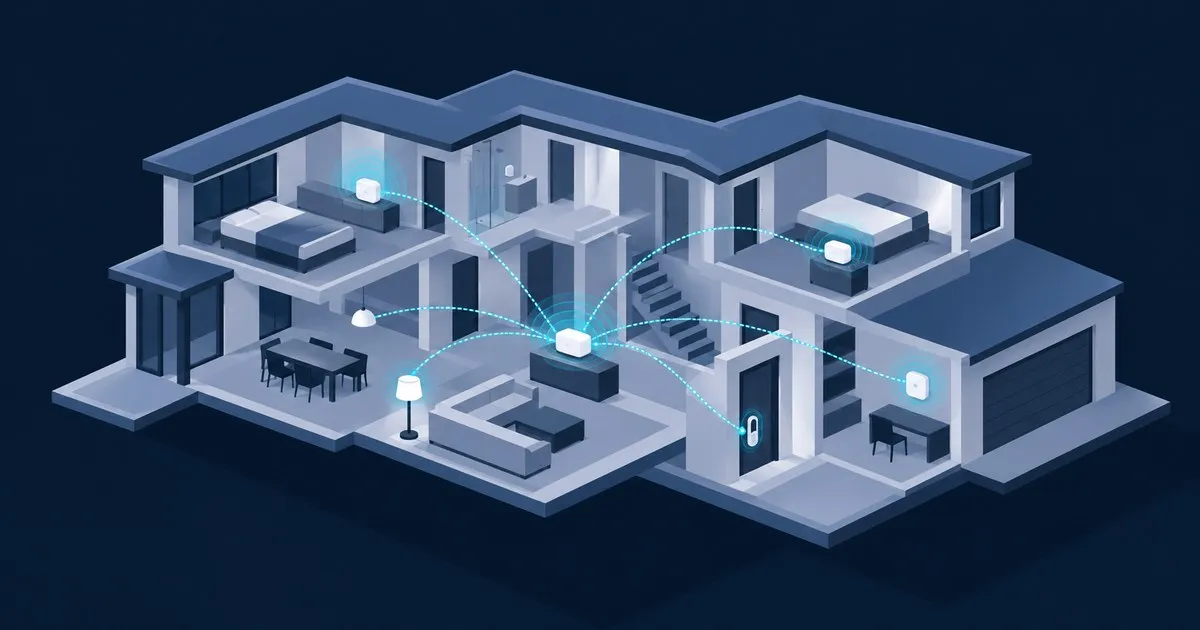
The best Thread border router for a large house is the Apple TV 4K (Wi-Fi + Ethernet): it is wired, it runs Thread 1.4 since tvOS 27, and it doubles as a Matter controller. But no single unit covers a large house. Plan on two to four border routers sharing one Thread network, one per floor or wing.
Not on Apple Home? Alexa households should use a Thread-capable eero mesh, because every Thread-enabled eero node has a border router built in. Google households get the same effect from Nest Wifi Pro. Home Assistant users who want to hold the credentials themselves should start with a Connect ZBT-2.
Why can’t one border router cover a large house?
On paper, one border router can serve a big house, because Thread devices reach it by hopping through other Thread routers. In practice, a large house turns that single box into a point of failure sitting at the end of a long hop chain. Two to four on the same network shorten the paths and survive a reboot.
The mesh does the long-distance work. OpenThread describes a mesh extender (the router role) as a device that “forwards packets for network devices,” while a sleepy end device, which is most battery sensors, “wakes on occasion to poll for messages from its parent” and forwards nothing (OpenThread, Node Roles and Types). The border router is only the exit to your LAN, and the same page notes “there can be multiple Border Routers in a Thread network.” When one reboots for a firmware update, devices keep a path to the controller through another.
The catch is “network,” singular. Home Assistant’s documentation says each vendor forms its own Thread network with different credentials, so “devices can’t roam between the Thread networks” (Home Assistant, Thread integration). An Apple TV downstairs and a Nest Hub upstairs are two single points of failure, not redundancy, unless you merged them. The border router choosing and placing guide covers the role in more depth.
How the options compare
| Option | Role in a large house | Documented Thread version | Wired option | Matter controller |
|---|---|---|---|---|
| Apple TV 4K (3rd gen) Wi-Fi + Ethernet | Wired anchor | 1.4 in Apple Home with tvOS 27 | Gigabit Ethernet | Yes, Apple Home hub |
| HomePod mini | One per additional floor | Follows HomePod software | No | Yes |
| eero mesh (Thread-capable models) | One node per floor, doubling as Wi-Fi | 1.3 | Wired backhaul, PoE models | No, Alexa on an Echo |
| Nest Wifi Pro (Wi-Fi 6E) | One unit per floor, doubling as Wi-Fi | Not stated by Google | Two Ethernet ports | Google Home hub |
| Home Assistant Connect ZBT-2 | Credential authority | Depends on OTBR build | USB, 1.5 m cable | Home Assistant is |
| SmartThings Hub v3 / Aeotec Smart Home Hub | Hub plus satellites | 1.4 since firmware 0.58.10 | Check the model | Yes |
A version number on a spec sheet is not proof that two brands will share a network.
Where each one wins
Apple TV 4K plus HomePod minis: best overall
Apple’s spec page lists Thread networking and Gigabit Ethernet only under the Wi-Fi + Ethernet model, so buy that one; the Wi-Fi-only version has no Thread radio. tvOS 27 shipped on September 14, 2026 for the second- and third-generation Apple TV 4K only, and FlatpanelsHD reports it brings Thread 1.4 to Apple Home. Put it on Ethernet where the TV lives, then add a HomePod mini on each floor it cannot reach. Both appear on Apple’s border router list, as does the second-generation Apple TV 4K.
It wins on a wired anchor, the current Thread version and a controller in one box. Home Assistant can use this network too, since the companion app on an iPhone can send the credentials across.
The caveat: Thread 1.4 is not a merge button. During the tvOS 27 betas, Matter Alpha saw no option to generate or accept the one-time code used for Thread network unification. Assume an existing Google or eero Thread network stays separate until you see otherwise.
eero mesh: best for Alexa homes
Amazon’s Thread support documentation, last updated May 1, 2026, says Thread-enabled Echo and eero devices have built-in border routers. It lists eero 6, 6+, 7, Pro 7, Max 7, Outdoor 7, PoE 6, PoE gateway, Pro 6E, Pro 6, eero Pro and eero Beacon at Thread 1.3. A large house already needs several mesh nodes for Wi-Fi, and with eero every one of them is also a border router. It is the most efficient purchase on this list.
The downside is the ecosystem. It is Thread 1.3, and devices commissioned through Apple Home or Google Home land on those vendors’ networks, where the eero border routers do nothing for them. For Echo satellites, Amazon lists the Echo Hub and Echo Dot Max at Thread 1.3 and the older Echo (4th Gen) at 1.1.
Nest Wifi Pro: best for Google homes
Google lists Nest Wifi Pro (Wi-Fi 6E) as a Thread border router alongside the Nest Hub (2nd gen), Nest Hub Max, Google TV Streamer (4K) and Google Home Speaker (2026). Google’s Wifi comparison gives each Nest Wifi Pro two Ethernet ports, so wired backhaul is straightforward. The logic matches eero: Wi-Fi nodes you need anyway become distributed border routers. After setup, confirm they report one Thread network, not several.
Home Assistant Connect ZBT-2: best if you want the keys
The ZBT-2 has a $49 recommended MSRP, uses a Silicon Labs MG24 chip, and ships with an external 4.16 dBi antenna and a 1.5 m USB cable. It runs Thread or Zigbee, not both, so an existing Zigbee setup needs a second unit. Nabu Casa’s FAQ is explicit that it cannot act as a Thread border router separately from Home Assistant.
That is the homelab trap. Rebooting the N100 box for a Home Assistant update takes the border router down with it, and if that box lives in the basement next to the NAS, it sits in the worst 2.4 GHz spot in the house; use the cable. In a large house the ZBT-2 is the network you can inspect, with wired ecosystem units joined to it, not the entire plan.
SmartThings hubs
Samsung pushed firmware 0.58.10 to the SmartThings Hub v2, Hub v3 and Aeotec Smart Home Hub in September 2025, adding credential sharing, TREL, NAT64 and Thread Unification (Matter Alpha). If SmartThings is already your controller, that is the Thread 1.4 feature list you want, and the hub belongs at the center of the house.
What matters more than the brand in a large house?
Three things matter more than the logo: every border router on one Thread network, mains-powered Thread relays in the rooms between them, and at least one border router on Ethernet. A large house with those three and mid-range hardware beats one with premium hardware and two split networks.
One network. Home Assistant’s Thread page groups every border router it can see by network. Two groups means two networks, whatever the app names suggest.
Relays. Mains-powered plugs, bulbs and switches that act as Thread routers are what carry traffic across a long house. OpenThread’s router selection guide caps a network at 32 mesh extenders and promotes eligible devices while the count is below 16, so the limit you hit in a home is too few relays, not too many. When deciding which new devices should be Thread rather than Wi-Fi, see Matter over Wi-Fi vs Thread.
Wire. The Thread 1.4 white paper describes Thread over Infrastructure, carrying Thread across Wi-Fi and Ethernet for more coverage and fewer partitions, and OpenThread lists “Thread-over-infrastructure that merges Thread partitions over IP-based links” among border router functions. Where a concrete slab splits the radio mesh, two wired border routers can stitch the halves together, provided both implement it. Few vendors document that; SmartThings did.
Border routers also need IPv6 and multicast working on your LAN, which trips up anyone who put smart home gear on its own VLAN; the IPv6 requirements post covers what has to pass. Treat border router firmware like router firmware; a general security feed such as TechSentinel is a reasonable place to watch for IoT advisories.
Which one to pick
On iPhones, buy the Apple TV 4K Wi-Fi + Ethernet, wire it, and add a HomePod mini per extra floor. That is the pick for most large houses, including Home Assistant setups where everyone carries an iPhone. On Alexa and in need of better Wi-Fi anyway, buy a Thread-capable eero mesh with wired backhaul and skip a separate border router. On Google, the same logic applies with Nest Wifi Pro.
Buy a ZBT-2 if you run Home Assistant with Android phones, want to read the network dataset yourself, or refuse to let a speaker own your mesh. Pair it with at least one wired ecosystem unit on the same network.
Don’t buy border routers from three ecosystems and trust Thread 1.4 to merge them. IEEE Spectrum reports Thread 1.4 became the only certified version on January 1, 2026, so new hardware will speak it, but a merge still depends on each vendor exposing the flow. If devices already drop out, start with why Matter devices keep going offline.
FAQ
how many thread border routers do i need for a large house
Two is the practical minimum for a large house, and three or four is reasonable with several floors or a detached wing. They only count if they share one Thread network. Add mains-powered Thread devices such as plugs between them before a fifth border router, because relays fix range while border routers fix exits.
can i mix apple and google thread border routers
Yes, but by default they form separate Thread networks with different credentials, so they do not back each other up. Thread 1.4 standardizes credential sharing so different brands can join one mesh, but it only works when both vendors expose the flow. Confirm the merge in Home Assistant’s Thread panel rather than assuming it happened.
does a mesh wifi router with thread extend thread range
Only for devices on its own Thread network. A Thread-capable node such as an eero or Nest Wifi Pro adds a border router and routing node wherever you place it, shortening paths for nearby devices. It cannot help devices commissioned onto a different Thread network, and it does not replace mains-powered Thread relays between nodes.
is a usb thread dongle enough for a big house
Not on its own. A Connect ZBT-2 is a capable radio, but it works as a border router only while Home Assistant is running, and it sits wherever the server sits. In a large house, use it as the network you control, then join a wired ecosystem border router and per-floor units to it.
Related across the network
- Zigbee vs Z-Wave vs Thread: Which Mesh to Build — homeassistanthq.com
- Zigbee Devices Going Unavailable: How to Fix It — homeassistanthq.com


